
Deleting a Partnership
Once a device is assigned a name and synced with Actice Sync you will not be able to change the name of the device without first deleting the existing partnership.
1. From the Active sync screen , click on file , mobile device and then select the device name to delete
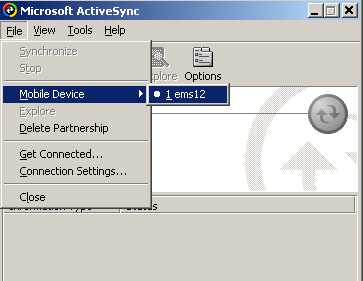
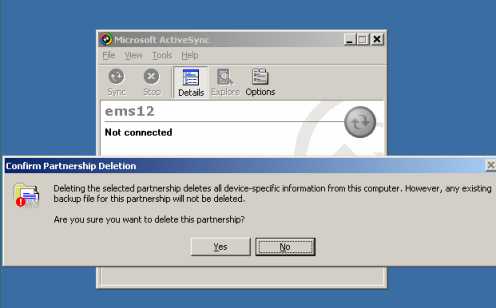
2. Select File , delete Partnership and Select Yes to the message that is displayed
Leave a Reply
Want to join the discussion?Feel free to contribute!